
Bring a piano score.
Learn it your way.
Upload MusicXML or MIDI and PianoScribe turns it into a focused, section-by-section practice plan, with feedback as you play.
Invitation-only testing. Public signup and live payments are currently disabled.
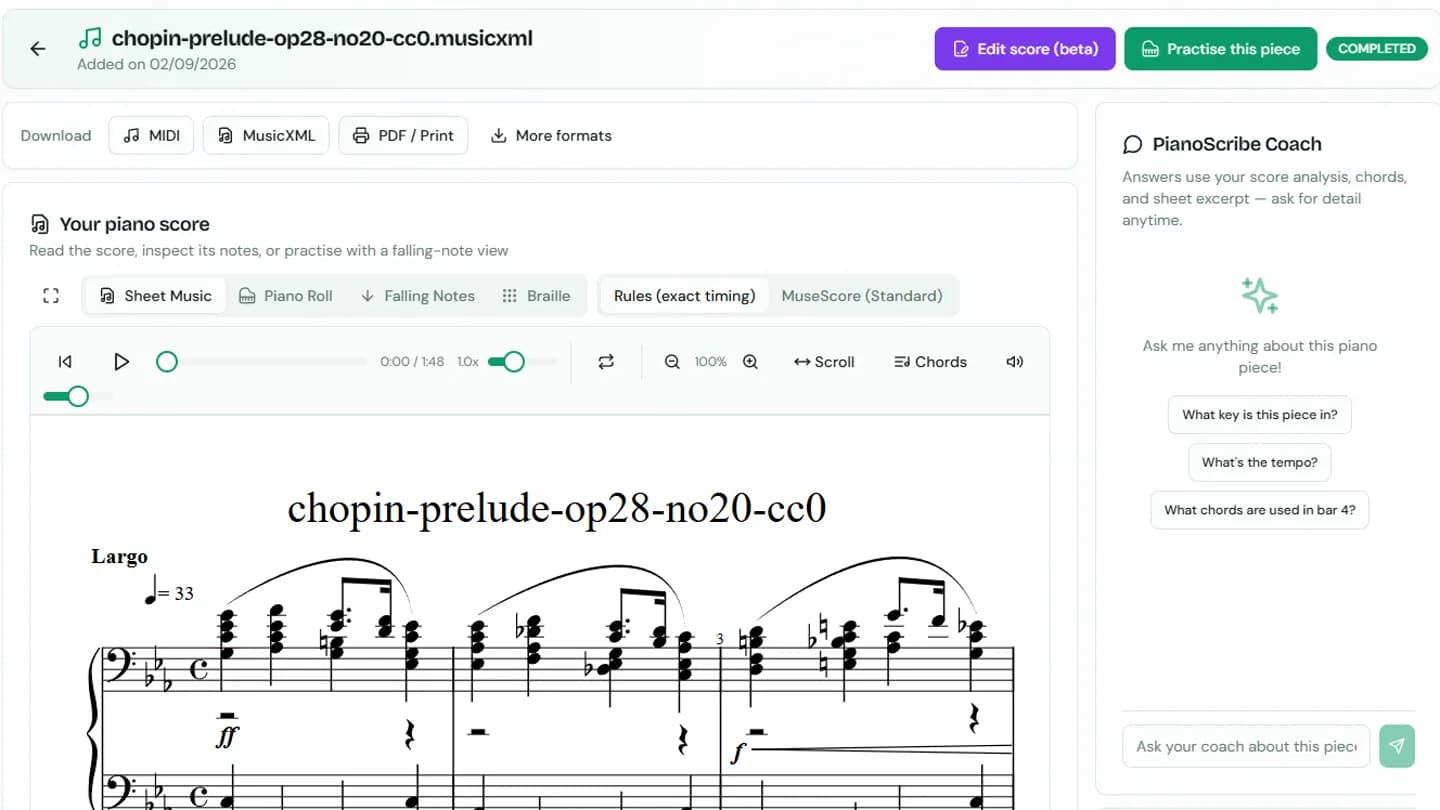 1Read your score
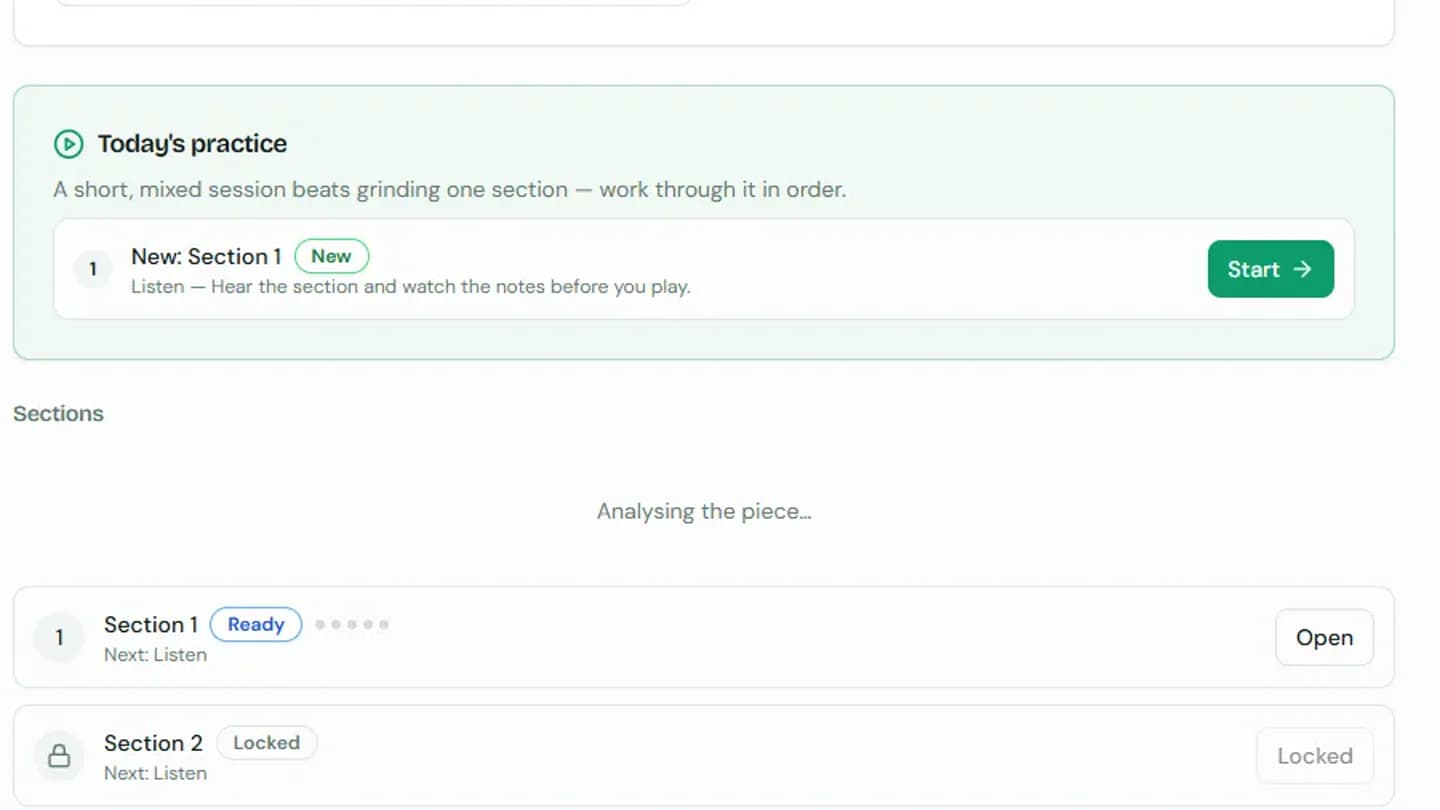 2Get one next step
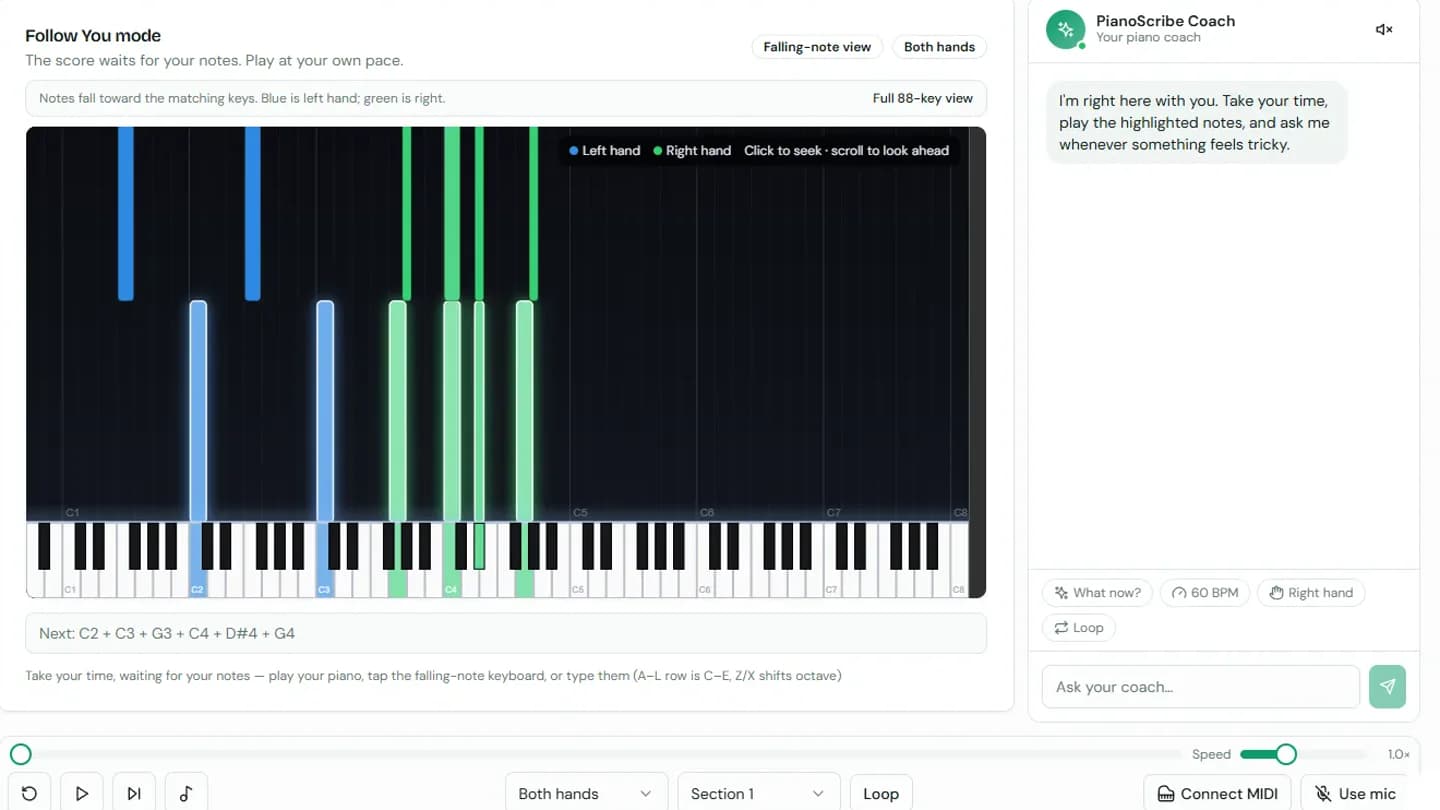 3Practise at your pace
1. Bring your score
Upload MusicXML or MIDI, or choose a reviewed piece from the free library.
2. Get a clear next step
PianoScribe reads the piece, splits it into manageable sections and prepares focused practice.
3. Learn it, step by step
Practice section by section: listen, hands separate, hands together, then in time.
Play a few notes
Press the glowing keys to play the opening of Ode to Joy, and drag to look around.
Opening theme | D major
Play the softly glowing key.
The matching note falls only when you choose the right key.
See the journey, one clear screen at a time
Choose a workflow, move through the steps, and enlarge any screen to inspect the real interface.
Score-to-lesson workflow
From your score to one useful next step
Follow one real piece through the learning workflow. Each screen now shows a different part of the journey.
Open and check the score
Once imported, review the notation, playback and musical details before you begin practising.
Showing step 1: Open and check the score
From a score to a practice plan
Keep the music visible, practise one manageable section, and get one useful next step instead of a wall of statistics.
Feedback You Can Use
Every run ends with a gentle grade and the one or two things to fix: the bars to loop, a sharp you keep missing, or a beat you rush. Ask the coach anything, typed or out loud.
Try a free pieceFree Score Library
Hundreds of public domain classics by Bach, Chopin, Satie, Joplin, and others, ready to open straight into a guided lesson.
Browse the libraryGuided Practice
The score waits for your notes, drills your trouble spots, and tracks mastery section by section. Play with a MIDI keyboard, your mic, or just your screen.
Pick a piece to learnAccessible by Design
Every piece can be viewed as braille music, on top of large-print score and falling-note views. Learning piano should be for everyone.
Closed alpha detailsBring Your Own Score or MIDI
Already have the music? Upload MusicXML or MIDI files free. We extract the piano part, engrave the score and make it learnable.
Closed alpha detailsA practice loop that actually teaches
Pieces are split into short sections. Each one walks a proven ladder: listen, right hand, left hand, hands together, then in time. It unlocks the next section as you master each one.
- Follow You mode: the score waits for your notes, no pressure
- Stumble somewhere? It offers to loop just that passage
- Keep Up mode grades your timing with a count-in, like a teacher would
- Warm-ups revisit weak and forgotten sections automatically
Your lesson, section by section
Questions before you upload
Short answers, and the honest version of each one.
What can I bring, and is this piano only?
Piano only, and that is deliberate: everything from the practice plan to the hand separation assumes two hands on one keyboard. Bring a score (MusicXML or .mxl; MuseScore and other editors export it), a MIDI file, or record a take straight from a MIDI keyboard. A score with a non-piano part – a violin line, a vocal stave – is either reduced to its piano part or refused with a reason, never quietly treated as piano.
How accurate is it?
When you bring a score or a MIDI file, the notes are yours: nothing is guessed, and what you practise is what you uploaded. Turning a recording into a score is a harder problem; it is in development, and when it opens it will show a measured accuracy and let you correct the result.
Can I turn a recording into a score?
Not yet: it is in development. We are training our own recording-to-score model on material we are licensed to use, so it can be part of a paid product, and it opens once it meets our quality bar. Links to YouTube or other video sites will not be supported: we only process files you have the right to use.
Do you train AI models on my recordings or uploads?
Not unless you choose to. Your uploads are private to your account. In Settings you can opt in to help improve PianoScribe and then mark individual uploads you are allowed to share; nothing else is used (see the privacy page). Our transcription model is trained on recordings we make ourselves, with consent. You can delete a piece whenever you like; to delete your whole account, email us (details on the privacy page).
What do I need to practise – is a MIDI keyboard required?
No, but it is the best experience. With MIDI we can hear chords, both hands and how hard you played, so timed practice can be graded honestly. A microphone hears one note at a time in the browser, which is genuinely useful for a melody or hands-separate work but cannot judge chords or timing – so we label that feedback as approximate instead of scoring it. There is also a typing and touch fallback for when you are away from the piano.
Can I fix a mistake in the score, or change its key?
Yes to both. Score Studio edits the notation in the browser and keeps every version, so you can always go back to the original. Transposing moves the whole piece – score, playback, falling notes and the practice plan stay in step, and the previous key is one restore away.
What can I export?
MIDI, MusicXML, PDF and Braille (.brf), plus chord sheets as MusicXML or plain text. The MusicXML opens in MuseScore, Sibelius and Finale. The PDF is rendered in your browser, so the score is not sent anywhere to produce it.
How do I get help?
The contact page reaches a person, and alpha testers have a feedback form inside the app that goes straight to us. It is a small team, so expect a human reply rather than an instant one.